Aaima AI Product Data
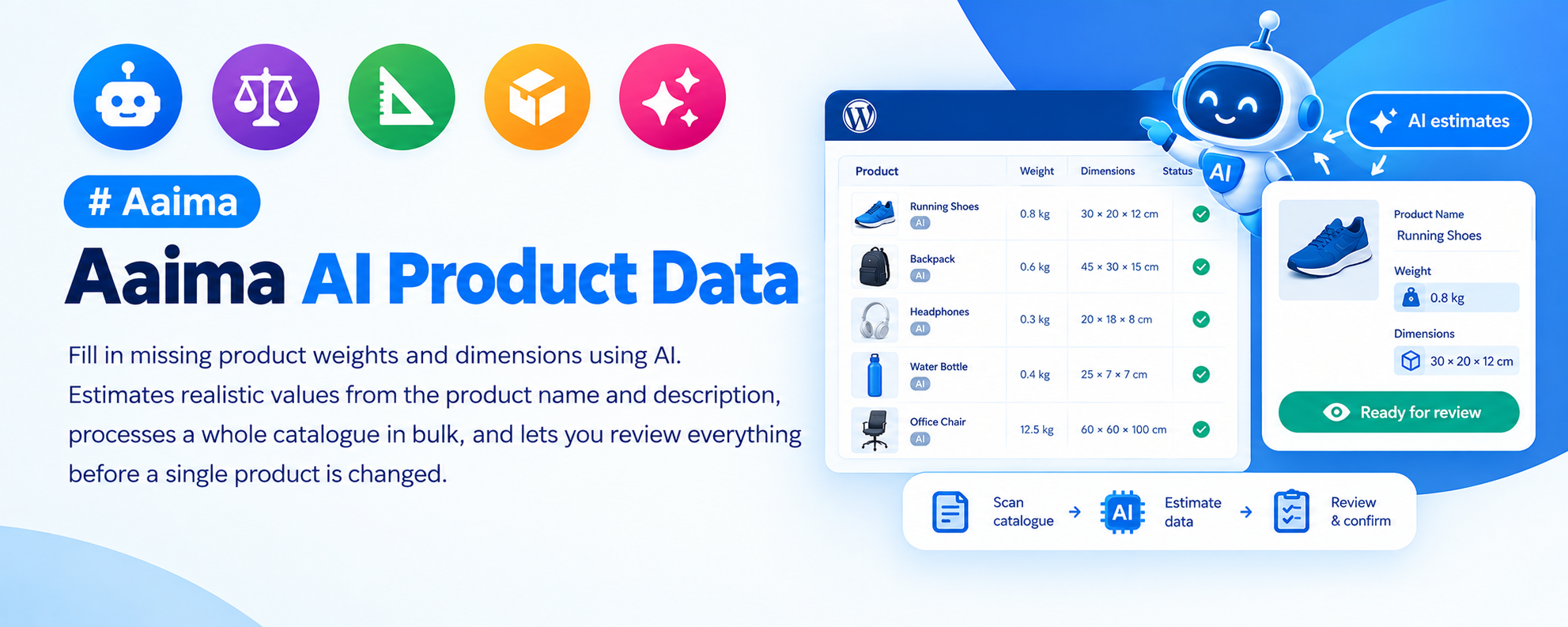
Fill in missing product weights and dimensions using AI. Estimates realistic values from the product name and description, processes a whole catalogue in bulk, and lets you review everything before a single product is changed.
📑 Table of Contents
🚀 Getting Started
- • System Requirements
- • Installation
- • Getting an API Key
- • First Estimation
🤖 How It Works
- • What the AI Reads
- • What It Produces
- • Accuracy Expectations
📦 Bulk Processing
- • Finding Missing Data
- • Batch Size
- • Reviewing Results
🚚 Why It Matters
- • Weight-Based Shipping
- • Carrier Integrations
- • Product Feeds
⚙️ Settings
- • API Configuration
- • Units
- • Overwrite Rules
🔧 Support
- • Troubleshooting
- • FAQ
- • Changelog
System Requirements
What the plugin needs to run
WordPress
5.8+PHP
7.4+WooCommerce
6.0+API Key
RequiredThis plugin calls an external AI service, so it needs an API key and outbound HTTPS access. Usage is charged by your AI provider, not by this plugin.
Key Features
The tedious data entry nobody wants to do
AI Estimation
Reads the product name and description and produces a realistic weight and set of dimensions — the kind of judgement a person would make, done in bulk.
Weight and Dimensions
Fills the WooCommerce weight, length, width and height fields directly, in your configured units.
Bulk Processing
Scans the catalogue for products with missing data and works through them in batches with a live log.
Review Before Applying
Estimates are shown before anything is written, so a wrong guess never silently becomes your shipping cost.
Unlocks Weight-Based Shipping
Table rate shipping by weight is useless without product weights. This is the fastest way to get from nothing to a usable catalogue.
Safe by Default
Only products with missing data are touched unless you explicitly ask to overwrite.
Progress and Logging
See exactly which products were estimated, which were skipped and which failed.
Unit Aware
Respects the weight and dimension units configured in WooCommerce.
Resumable
A run that stops can be started again without redoing completed products.
Installation Guide
Two ways to install
📦 Method 1: WordPress Admin
- 1
Go to Plugins → Add New
- 2
Click Upload Plugin
- 3
Choose aaima-ai-product-data.zip
- 4
Click Install Now
- 5
Click Activate
📁 Method 2: FTP Upload
- 1
Extract aaima-ai-product-data.zip
- 2
Connect to your server via FTP/SFTP
- 3
Navigate to /wp-content/plugins/
- 4
Upload the aaima-ai-product-data folder
- 5
Activate in Plugins
After Activation: Go to AI Product Data, enter your API key, and run an estimation on a handful of products first to see how the results look before processing the whole catalogue.
Hard-refresh after uploading an update. Browsers cache plugin CSS and JavaScript. Press Ctrl+Shift+R (or Cmd+Shift+R) so you are not looking at the old version.
How to Use It
Estimate, review, apply
1. Add API Key
One-time setup
2. Scan Catalogue
Find missing data
3. Estimate
AI does the work
4. Review & Apply
Nothing silent
🚚 Why Product Weights Matter
Missing weights break more than you would expect
📊 Table Rate Shipping
- Weight bands are the most common shipping rule
- Without weights every cart falls into the lightest band
- You end up undercharging on heavy orders
🚛 Carrier Plugins
- Colissimo, Mondial Relay, DPD and UPS all quote by weight
- A missing weight means a wrong quote or none at all
- Live rates are only as good as your data
🛍️ Product Feeds
- Google can use shipping weight for delivery estimates
- Dimensions feed unit pricing and packaging attributes
- Better data means better listings
📦 Warehouse Reality
- Packing slips and delivery notes read better with dimensions
- Helps pick the right box size
- Useful for insurance and customs paperwork
Treat the output as a starting point, not gospel. An AI estimate for "Wireless Bluetooth Earbuds" will be sensible; for a product named "Model 4B" it has very little to work with. Review before applying, and correct anything that looks off.
Settings Reference
API, units and safety
🔑 API Configuration
| API key | Your key from the AI provider. Stored in the WordPress options table. |
|---|---|
| Model | Which model to use. Faster models cost less; more capable models estimate unusual products better. |
| Batch size | How many products are processed per step. Lower it on slow hosting. |
Usage is billed by your AI provider. Estimating a large catalogue is a one-off cost, since products are only processed once.
⚖️ What Gets Filled
| Weight | The WooCommerce weight field, in your configured unit. |
|---|---|
| Dimensions | Length, width and height, in your configured unit. |
| Only missing values | On by default. Products that already have data are skipped. |
| Overwrite existing | Replaces values you already have. Use deliberately. |
👀 Review Workflow
- Run the scan to see how many products are missing data
- Process a small batch first and look at the results
- Check a few products you know well — a kettle, a t-shirt, a book
- If the estimates look right, run the rest
- Spot-check anything unusual afterwards
Troubleshooting Guide
Common issues and how to fix them
❌ API key rejected
Every request fails
⚠️ Estimates look wrong
Implausible weights
⚠️ The run stalls partway
Progress stops
ℹ️ Nothing happens when I scan
Zero products found
ℹ️ Variations were not updated
Parent has data, variations do not
ℹ️ Shipping still uses the wrong band
Rates did not change
Frequently Asked Questions
Common questions answered
Q: How accurate are the estimates?
Good for recognisable consumer products, weaker for cryptically named ones. Always review before applying — the plugin is designed to make you look at the numbers rather than trust them blindly.
Q: Does it cost money?
The plugin is included with the theme, but it calls an external AI service that charges for usage. It is a one-off cost per product, since each is only processed once.
Q: Will it overwrite weights I already entered?
Not unless you tick "overwrite existing". By default it only fills in what is missing.
Q: Can I process only one category?
Yes, the scan can be filtered so you can work through the catalogue in manageable pieces.
Q: Do I really need product weights?
If you charge for shipping, yes. Weight bands are the most common shipping rule, and carrier plugins quote by weight. Without weights, every cart looks weightless.
Q: Is my product data sent to a third party?
Product names and descriptions are sent to the AI provider to produce the estimate. No customer or order data is involved.
Q: Is it translated?
Yes, a complete French translation is included.
Changelog
Version history
v1.0.0 — Initial Release
- AI estimation of product weight and dimensions
- Bulk scan finding products with missing data
- Batch processing with live log and resume
- Review step before values are written
- Respects WooCommerce weight and dimension units
- Only-missing mode by default, with optional overwrite
- Complete French translation and built-in Help page
Support & Updates
We're here to help
6 Months Support
Via ThemeForest comments or support email. We reply within 24-48 hours on business days.
Free Lifetime Updates
All future updates are free, and included in the Aaima theme update package.
Built-in Help
Every screen of this plugin has a Help tab covering setup and troubleshooting, so the answer is always to hand.
Need Help?
Get support via ThemeForest comments or contact us directly
📧 Contact Support 📖 View Full DocsAaima AI Product Data v1.0.0 | Part of the Aaima Theme package
WordPress 5.8+ | PHP 7.4+ | WooCommerce 6.0+ | Requires an API key
© 2026 Nasir Mehmood — All Rights Reserved