Aaima Cart Reports
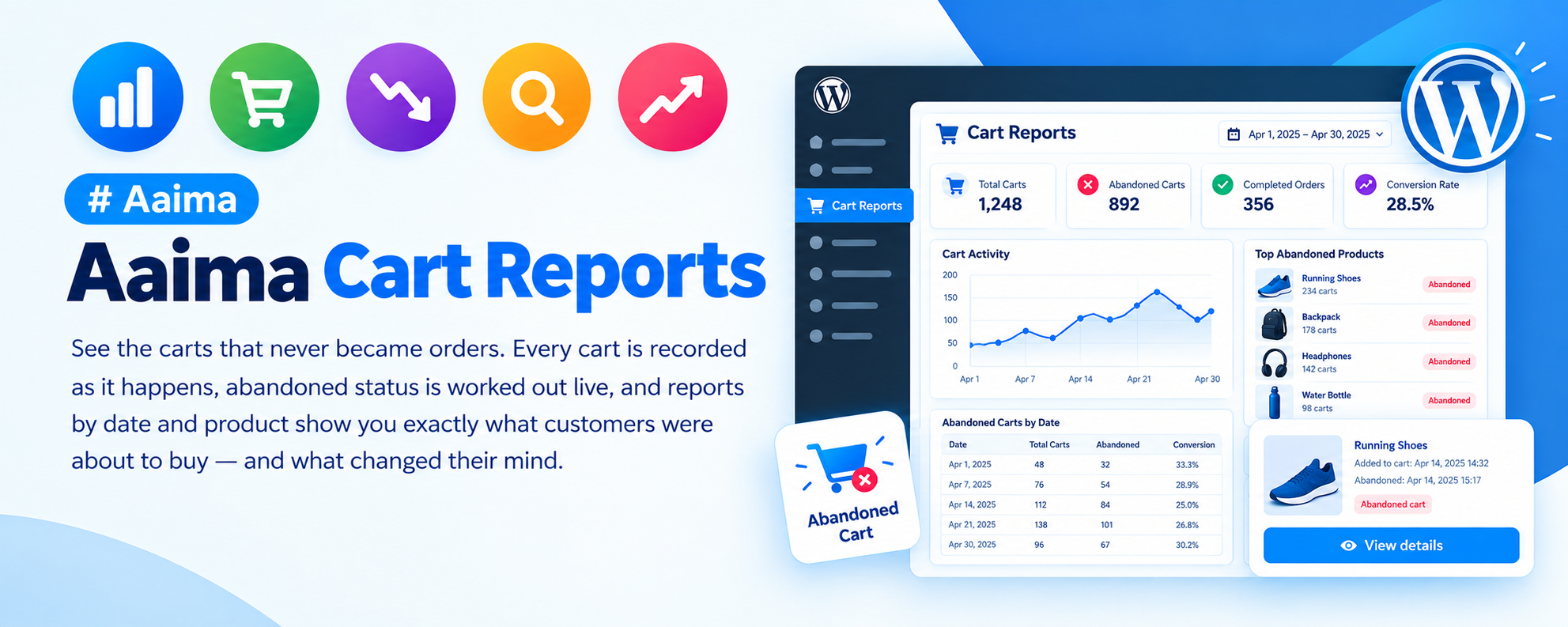
See the carts that never became orders. Every cart is recorded as it happens, abandoned status is worked out live, and reports by date and product show you exactly what customers were about to buy — and what changed their mind.
📑 Table of Contents
🚀 Getting Started
- • System Requirements
- • Installation
- • Nothing to Configure
- • Excluding Your Own Tests
📊 Understanding Carts
- • The Three Statuses
- • How Abandoned Is Calculated
- • What Gets Captured
📈 Reports
- • Carts by Date
- • Carts by Product
- • Conversion Rate
- • Dashboard Widget
🎯 Using the Data
- • Finding Problem Products
- • Spotting a Broken Checkout
- • Reaching Out
- • CSV Export
🔒 Privacy
- • What Is Stored
- • IP Logging
- • Data Retention
- • Erasure Requests
🔧 Support
- • Troubleshooting
- • FAQ
- • Changelog
System Requirements
What the plugin needs to run
WordPress
5.8+PHP
7.4+WooCommerce
6.0+Memory
128MB+Cart records live in their own database table, so a busy shop will not bloat your posts table. Automatic deletion keeps the table small over time.
Key Features
Most shops only ever see the orders that completed
Every Cart Recorded
From the moment a customer puts something in their basket, including guests who never log in.
Live Abandoned Status
Nothing is stored as "abandoned" and no scheduled task marks it. The status is calculated from the last activity each time you look.
Contact Details Captured
Name, email and phone are recorded as they are typed into checkout — which is why you have details for people who never finished.
Reports by Date
A chart of cart activity over time. A spike with no matching orders usually means something broke.
Reports by Product
Which products appear most often in abandoned carts. If one dominates, look at its price, shipping cost or stock message.
Conversion Rate
Converted versus abandoned, so you can see whether changes you make are actually helping.
Filtered CSV Export
The export honours whatever filters you have applied, so you can pull just abandoned guest carts from last month.
GDPR Aware
IP logging is off by default, retention is configurable, and erasure requests are a search and a delete away.
Dashboard Widget
Cart activity at a glance whenever you log in.
Installation Guide
Two ways to install
📦 Method 1: WordPress Admin
- 1
Go to Plugins → Add New
- 2
Click Upload Plugin
- 3
Choose aaima-cart-reports.zip
- 4
Click Install Now
- 5
Click Activate
📁 Method 2: FTP Upload
- 1
Extract aaima-cart-reports.zip
- 2
Connect to your server via FTP/SFTP
- 3
Navigate to /wp-content/plugins/
- 4
Upload the aaima-cart-reports folder
- 5
Activate in Plugins
After Activation: Nothing to configure — tracking starts immediately. Visit Cart Reports to see carts as they happen, and check the excluded roles so your own testing does not pollute the figures.
Hard-refresh after uploading an update. Browsers cache plugin CSS and JavaScript. Press Ctrl+Shift+R (or Cmd+Shift+R) so you are not looking at the old version.
How a Cart Is Tracked
Four stages, recorded automatically
1. Added to Cart
Items, totals, customer
2. Checkout Started
Name, email, phone
3. Paid
Marked converted
4. Or Left
Abandoned after timeout
📊 What Each Status Means
Worked out live, never stored
🟢 Active
- Someone is shopping right now
- Touched within the timeout period
- May still become an order
🔴 Abandoned
- Nothing has happened for longer than the timeout
- No order was placed
- This is your lost revenue
✅ Converted
- The cart became a paid order
- Kept so conversion rate stays accurate
- Protected from automatic deletion
⚙️ Why Live Matters
- Changing the timeout re-classifies your whole history instantly
- Try 15 minutes and 60 minutes and compare
- No cron job to go wrong
Your conversion rate will look low, and that is normal. Every cart counts, including people who add something and leave immediately. A figure well below your order-to-visitor rate is expected — what matters is whether it moves over time.
Settings Reference
Tracking, display and retention
⏱️ Tracking
| Abandoned after | How long a cart sits untouched before it counts as abandoned. Twenty minutes suits most shops; raise it if you sell considered purchases. |
|---|---|
| Excluded roles | Stops your own testing polluting the figures. Administrators and shop managers are excluded by default. |
| Skip empty carts | Ignores carts where everything was removed again. |
| Log IP address | Off by default. An IP is personal data under the GDPR — only enable it with a reason and a privacy policy that mentions it. |
📊 Display
| Carts per page | How many rows the list table shows. |
|---|---|
| Products column | Show cart contents directly in the list. |
| Dashboard widget | Show cart activity on the WordPress dashboard. |
| Widget range | The time period the widget summarises. |
🔒 Data Retention
This plugin stores personal data — names, emails and phone numbers typed into checkout by people who never completed an order. That is worth being deliberate about.
| Auto-delete old carts | Housekeeping for busy shops. Deletion cannot be undone. |
|---|---|
| Delete carts older than | Retention period in days. |
| Keep converted carts | Converted carts survive deletion regardless, so your conversion rate stays accurate. |
- Mention abandoned cart tracking in your privacy policy
- Use automatic deletion so data is not kept longer than you need it
- For an erasure request, search the email on the All Carts screen and delete what comes back
Troubleshooting Guide
Common issues and how to fix them
⚠️ No carts are being recorded
The list stays empty
ℹ️ Carts show no customer name or email
Contact columns are blank
ℹ️ A cart still shows as Active
Expected it to be abandoned
ℹ️ Some carts have no items
Empty rows in the list
ℹ️ My conversion rate looks too low
Single-digit percentage
ℹ️ A guest cart and an account look like two carts
Duplicate entries
ℹ️ The dashboard widget is missing
Not on the dashboard
ℹ️ Does it work with the Checkout block?
Using block checkout
Frequently Asked Questions
Common questions answered
Q: Do I need to configure anything?
No. Tracking starts the moment the plugin is active. The only setting worth checking early is excluded roles, so your own testing does not skew the numbers.
Q: Does it track guests?
Yes, including people who never log in. That is most of the abandoned carts in a typical shop.
Q: Can I email people who abandoned?
The plugin gives you the details where they were captured, but does not send emails itself. A short, human message asking whether they had a problem often works better than an automated discount.
Q: Why is abandoned status not stored?
Because storing it means a cron job that can fail, and a history you cannot re-examine. Calculating it live means changing the timeout instantly re-classifies everything, so you can compare 15 and 60 minutes.
Q: How do I find what is going wrong?
Open Reports → Carts by Product and filter to abandoned. If one product dominates, look closely at its price, the shipping cost it triggers, or its stock message.
Q: A spike appeared with no orders — what happened?
That usually means something broke: a payment gateway rejecting cards, or a shipping rule returning no options. Compare the chart against your orders for the same days.
Q: Is it GDPR compliant?
It is built to help you be. IP logging is off by default, retention is configurable, and erasure is a search and delete. You still need to mention the tracking in your privacy policy.
Q: Is it translated?
Yes, a complete French translation is included.
Changelog
Version history
v1.0.0 — Initial Release
- Automatic cart tracking for guests and registered customers
- Live abandoned status calculated from last activity
- Checkout contact details captured as they are typed
- Reports by date and by product
- Conversion rate and cart value totals
- Filtered CSV export honouring the current view
- Dashboard widget with configurable time range
- Custom database tables to keep the posts table clean
- GDPR options: IP logging off by default, configurable retention
- Complete French translation and built-in Help page
Support & Updates
We're here to help
6 Months Support
Via ThemeForest comments or support email. We reply within 24-48 hours on business days.
Free Lifetime Updates
All future updates are free, and included in the Aaima theme update package.
Built-in Help
Every screen of this plugin has a Help tab covering setup and troubleshooting, so the answer is always to hand.
Need Help?
Get support via ThemeForest comments or contact us directly
📧 Contact Support 📖 View Full DocsAaima Cart Reports v1.0.0 | Part of the Aaima Theme package
WordPress 5.8+ | PHP 7.4+ | WooCommerce 6.0+ | HPOS Ready
© 2026 Nasir Mehmood — All Rights Reserved