Aaima Google Product Feed
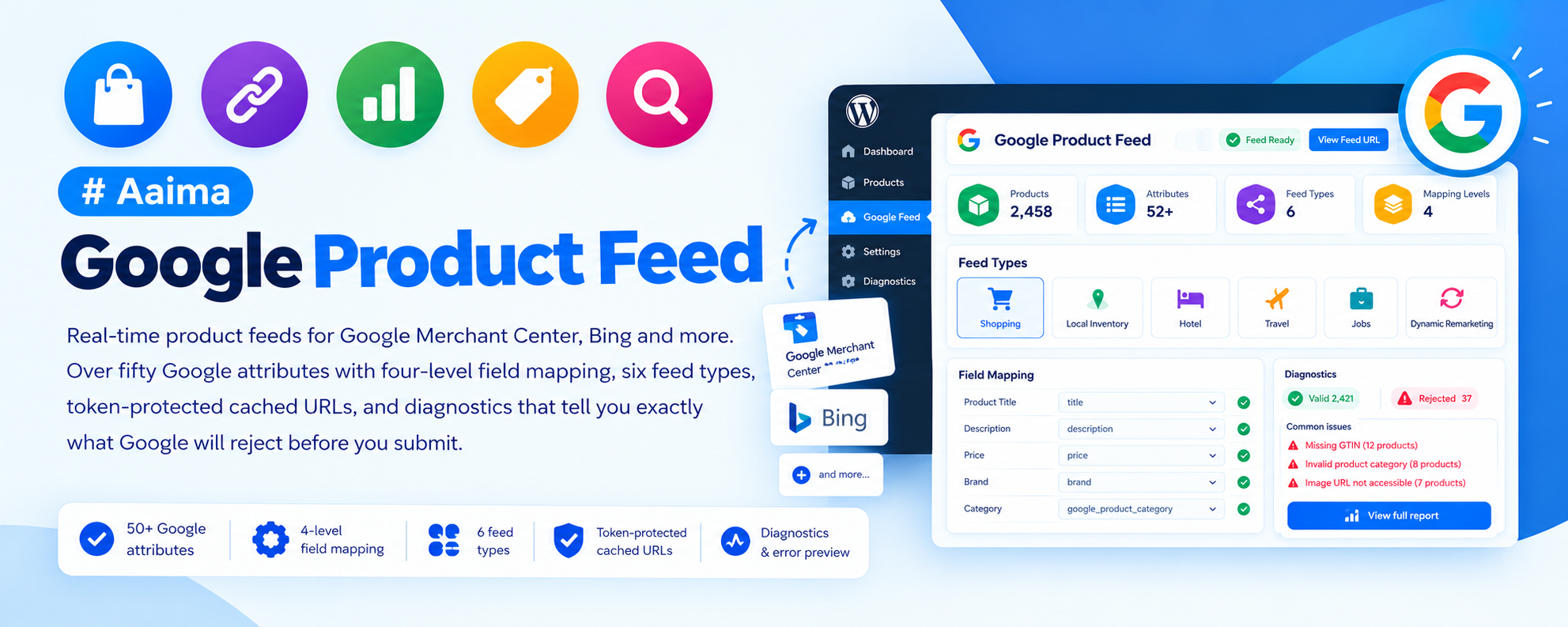
Real-time product feeds for Google Merchant Center, Bing and more. Over fifty Google attributes with four-level field mapping, six feed types, token-protected cached URLs, and diagnostics that tell you exactly what Google will reject before you submit.
📑 Table of Contents
🚀 Getting Started
- • System Requirements
- • Installation
- • Merchant Center Account
- • Submitting the Feed
🗂️ Field Mapping
- • The Four Levels
- • Store-Wide Mapping
- • Category Defaults
- • Per-Product Overrides
🛍️ Feed Types
- • Google Shopping
- • Product Reviews
- • Local Inventory
- • Promotions
- • Bing
- • CSV Export
✅ Required Fields
- • What Google Demands
- • Brand & GTIN
- • Google Product Category
- • Apparel Fields
⚡ Performance
- • Streaming Large Catalogues
- • Caching & Rebuilds
- • Token Security
🔧 Support
- • Diagnostics
- • Troubleshooting
- • FAQ
- • Changelog
System Requirements
What the plugin needs to run
WordPress
5.8+PHP
7.4+WooCommerce
6.0+Memory
128MB+Feeds are written one product at a time rather than assembled in memory, so a catalogue of any size will not exhaust the PHP memory limit.
Key Features
Get your catalogue into Google properly
Four-Level Field Mapping
Every field resolves through variation, then product, then category, then the store-wide mapping. Set "brand" once for the whole shop and still override it for one awkward product.
Six Feed Types
Google Shopping, product reviews, local inventory, promotions, Bing, and a CSV export for checking data by eye.
50+ Google Attributes
Core fields, apparel fields, rich data, advanced attributes, local inventory and shopping actions — grouped so the mapping screen stays navigable.
Diagnostics
Counts how many products are missing a brand, an identifier, a category or an image, and shows sample output exactly as Google will receive it.
Per-Category Feeds
Every product category gets its own URL, so you can structure campaigns by range or trial Shopping ads on one category first.
Cached and Streamed
Feeds are written row by row and cached to disk, rebuilt twice daily and whenever a product changes. Google always fetches a file that is ready.
Token-Protected URLs
Every feed URL carries a secret token, so competitors cannot guess the address and download your entire price list.
Variation Support
Each variation is sent as its own item sharing an item_group_id — how Google matches a shopper to the exact colour and size they searched for.
Reviews Feed
Sends your WooCommerce reviews in Google's Product Review schema so star ratings can appear on your listings.
Installation Guide
Two ways to install
📦 Method 1: WordPress Admin
- 1
Go to Plugins → Add New
- 2
Click Upload Plugin
- 3
Choose aaima-google-feed.zip
- 4
Click Install Now
- 5
Click Activate
📁 Method 2: FTP Upload
- 1
Extract aaima-google-feed.zip
- 2
Connect to your server via FTP/SFTP
- 3
Navigate to /wp-content/plugins/
- 4
Upload the aaima-google-feed folder
- 5
Activate in Plugins
After Activation: Go to Google Feed → Field mapping and point Brand, GTIN and the Google product category at your data. Then check Diagnostics before submitting anything.
Hard-refresh after uploading an update. Browsers cache plugin CSS and JavaScript. Press Ctrl+Shift+R (or Cmd+Shift+R) so you are not looking at the old version.
Setup in Four Steps
From install to products in Google
1. Merchant Account
Verify your website
2. Map Your Fields
Ten minutes, whole shop
3. Check Diagnostics
Fix the big numbers
4. Submit the URL
Scheduled fetch, daily
🗂️ Where Each Value Comes From
Four levels, first answer wins
1️⃣ The Variation
- Fields on an individual variation
- Its own GTIN, colour or size
- Highest priority — always wins
2️⃣ The Product
- The Google Feed tab on the product edit screen
- Overrides anything set further down
- Use for one-off exceptions only
3️⃣ The Category
- Defaults set on a product category
- Inherited by sub-categories
- The efficient place to set Google product category
4️⃣ Store-Wide Mapping
- The Field mapping tab
- Can read an attribute, the SKU, a custom field or a fixed value
- Start here — it covers most shops entirely
Work in the right order. Start with the store-wide mapping, then fix whole categories, and only then individual products. Most shops cover their entire catalogue with about ten minutes of mapping and never touch a single product.
Settings Reference
Four tabs explained
🔗 Feed URLs Tab
Paste these into Merchant Center under Products → Feeds, using the "Scheduled fetch" method.
| Google Shopping | The main product feed. This is the one everybody needs. |
|---|---|
| Product reviews | Submitted separately in Merchant Center under Product reviews. |
| Local inventory | For shops with a physical store. Needs local inventory ads enabled first. |
| Promotions | Promotion data for special offer badges. |
| Bing | The same data for Microsoft Merchant Center, which accepts the Google format. |
| CSV export | A spreadsheet version for manual uploads or eyeballing the data. |
| Regenerate token | Breaks every URL you have already given to Google. Use only if a URL leaks. |
🗂️ Field Mapping Tab
Tell the feed where each Google attribute comes from. These are the fallback values.
| Sources | A product attribute, the SKU, weight, category, tag, short description, a custom field, or a fixed value. |
|---|---|
| Core fields | Brand, GTIN, MPN, condition, Google product category, product type. |
| Apparel fields | Colour, size, age group, gender, material — required for clothing. |
| Rich data | Product highlights, short title, custom labels 0-4 for campaign segmentation. |
| Advanced | Energy class, unit pricing, multipack, is bundle, shipping label. |
⚙️ Settings Tab
| Which feeds are active | Enable only the feeds you actually submit. |
|---|---|
| Which products are included | Exclude categories, hidden products, out-of-stock items, or products under a minimum price. |
| Prices include tax | Follows your shop display by default. Merchant Center expects the price a customer actually pays. |
| Variations | Send each variation as its own item — recommended. |
| Descriptions | Full, short, or short then full. Shortcodes can be stripped. |
| Caching | Save generated feeds to disk and serve the cached copy. Strongly recommended. |
✅ What Google Actually Requires
| Automatic | Title, description, link, price, availability and images come straight from the product. Nothing to configure. |
|---|---|
| Brand | Required for almost everything. Map it to a brand attribute, or set a fixed value if you sell your own products. |
| GTIN or MPN | The barcode. Products with a correct GTIN are shown far more often. Handmade items have none — the feed then sends identifier_exists as "no" automatically. |
| Google product category | Google's own taxonomy, not yours. Set it once per product category. |
| Colour, size, age group, gender | Clothing only. Map colour and size to your variation attributes and they fill in per variation. |
Troubleshooting Guide
Common issues and how to fix them
❌ Merchant Center says "Missing value: brand"
Products rejected
❌ The feed URL returns a 404
Google cannot fetch it
⚠️ "Invalid feed token"
Opening the URL is refused
⚠️ Missing value: gtin
Warnings in Merchant Center
ℹ️ Products are missing from the feed
Fewer items than expected
ℹ️ Google shows an old price or stock level
Data is stale
ℹ️ Prices do not match my shop
Amounts differ
ℹ️ Reviews are not appearing
No star ratings
Frequently Asked Questions
Common questions answered
Q: How long until my products appear?
Google reviews every new feed before showing anything, which usually takes a few days. Fix the errors Diagnostics reports before submitting to avoid a rejection and a second wait.
Q: Why are variations sent as separate products?
That is correct and intended. Each variation is its own item sharing an item_group_id, which is how Google matches a shopper to the exact colour and size they searched for.
Q: Can I run different campaigns per category?
Yes. The Feed URLs tab gives every product category its own URL. Submit those as separate feeds to structure campaigns by range.
Q: Does it work with Bing?
Yes. Bing accepts the Google format, so the same data is offered at a separate URL for Microsoft Merchant Center.
Q: Will a large catalogue time out?
No. Feeds are streamed row by row rather than built in memory, then cached to disk. Google fetches a file that is already waiting.
Q: How often is the feed rebuilt?
Twice daily in the background, and the cache clears whenever you add or edit a product — so what Google receives is never stale.
Q: Is the feed private?
Yes. Every URL carries a secret token and requests without it are refused, so competitors cannot download your price list.
Q: Is it translated?
Yes, a complete French translation is included, covering all fifty-plus Google field labels.
Changelog
Version history
v1.0.0 — Initial Release
- 50+ Google attributes across six field groups
- Four-level field mapping: variation, product, category, store
- Six feed types: Shopping, reviews, local, promotions, Bing, CSV
- Per-category feed URLs for campaign structuring
- Token-protected endpoints with hash_equals comparison
- Row-by-row streaming so large catalogues never exhaust memory
- Disk caching with twice-daily rebuilds and clear-on-product-save
- Diagnostics counting missing brand, GTIN, category and image
- Google Product Review XML 2.3 schema for the reviews feed
- Product and category level overrides with ancestor inheritance
- Complete French translation and built-in Help tab
Support & Updates
We're here to help
6 Months Support
Via ThemeForest comments or support email. We reply within 24-48 hours on business days.
Free Lifetime Updates
All future updates are free, and included in the Aaima theme update package.
Built-in Help
Every screen of this plugin has a Help tab covering setup and troubleshooting, so the answer is always to hand.
Need Help?
Get support via ThemeForest comments or contact us directly
📧 Contact Support 📖 View Full DocsAaima Google Product Feed v1.0.0 | Part of the Aaima Theme package
WordPress 5.8+ | PHP 7.4+ | WooCommerce 6.0+ | HPOS Ready
© 2026 Nasir Mehmood — All Rights Reserved