Aaima Local Pickup
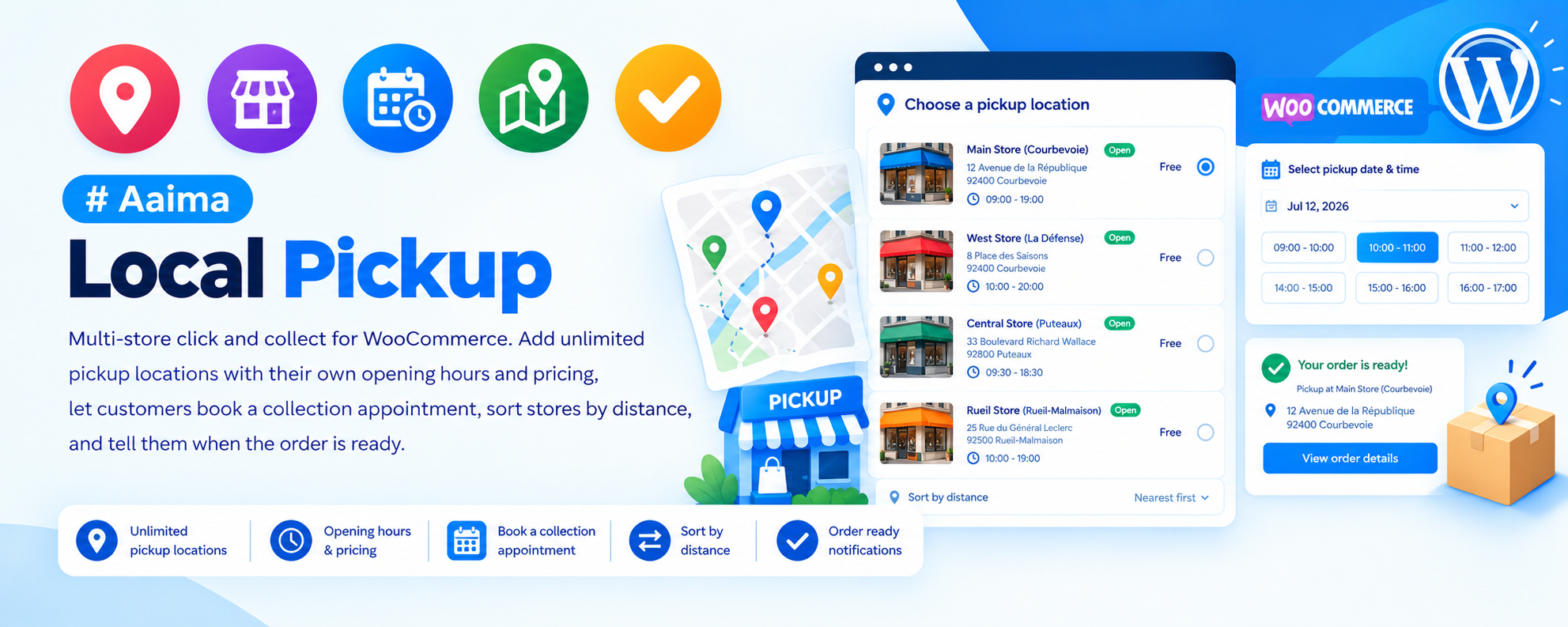
Multi-store click and collect for WooCommerce. Add unlimited pickup locations with their own opening hours and pricing, let customers book a collection appointment, sort stores by distance, and tell them when the order is ready.
📑 Table of Contents
🚀 Getting Started
- • System Requirements
- • Installation
- • Adding to a Shipping Zone
- • Your First Location
🏪 Locations
- • Address & Coordinates
- • Opening Hours
- • Pricing per Location
- • Product Restrictions
📅 Scheduling
- • Time Slots
- • Lead Time & Deadline
- • Capacity Limits
- • Appointments Screen
🛒 At Checkout
- • Location Cards
- • Distance Sorting
- • Per-Order vs Per-Item
- • Date & Time Choice
📧 After the Order
- • Ready-for-Collection Email
- • Marking as Collected
- • Order Screen Details
🔧 Support
- • Store Locator Shortcode
- • Troubleshooting
- • FAQ
- • Changelog
System Requirements
What the plugin needs to run
WordPress
5.8+PHP
7.4+WooCommerce
6.0+Checkout
ClassicThis plugin requires the classic
Key Features
Everything click and collect actually needs
Unlimited Locations
Each with its own address, phone, email, opening hours, pricing rule and product restrictions.
Appointment Scheduling
Customers pick a date and a time slot. Slots respect opening hours, lead time, a cut-off deadline and a capacity limit per slot.
Distance Sorting
When the customer's location is known, the nearest store is offered first — calculated properly with the haversine formula.
Per-Order or Per-Item
Collect the whole order from one shop, or let each item be collected from wherever it is in stock.
Flexible Pricing
Free, a fixed fee, a percentage, or a discount off the order — set per location.
Ready for Collection
A dedicated WooCommerce email, sent with one click from the order screen when the parcel is waiting.
Store Locator
A shortcode showing every location with a map, opening hours with today highlighted, search and directions links.
Appointments Screen
See upcoming collections, filter by status, and mark orders as collected as customers arrive.
CSV Import & Export
Set up a chain of shops in a spreadsheet and import it. Updating by name means no duplicates.
Installation Guide
Two ways to install
📦 Method 1: WordPress Admin
- 1
Go to Plugins → Add New
- 2
Click Upload Plugin
- 3
Choose aaima-local-pickup.zip
- 4
Click Install Now
- 5
Click Activate
📁 Method 2: FTP Upload
- 1
Extract aaima-local-pickup.zip
- 2
Connect to your server via FTP/SFTP
- 3
Navigate to /wp-content/plugins/
- 4
Upload the aaima-local-pickup folder
- 5
Activate in Plugins
After Activation: Go to WooCommerce → Settings → Shipping and add Aaima Local Pickup to a zone, then add your first location under Local Pickup → Locations.
Hard-refresh after uploading an update. Browsers cache plugin CSS and JavaScript. Press Ctrl+Shift+R (or Cmd+Shift+R) so you are not looking at the old version.
Setup in Four Steps
From install to first collection
1. Add to a Zone
This step is essential
2. Add Locations
Address and hours
3. Set Scheduling
Slots and capacity
4. Notify Customers
Ready-for-collection email
📅 How Scheduling Works
Four settings decide which slots a customer can actually book
🕐 Opening Hours
- Set per location, or inherited from the store default
- Closed days offer no slots at all
- Slots are generated between opening and closing
⏱️ Lead Time
- The minimum notice you need
- Stops a customer booking a slot in ten minutes
- Measured in hours from the moment of ordering
🚦 Deadline
- A daily cut-off for same-day collection
- After it passes, today disappears from the calendar
- Useful when picking happens in the morning
👥 Capacity
- How many orders one slot can hold
- Full slots stop being offered
- Counted live, so cancellations free capacity again
Deleted orders free their slot automatically. Trashing or deleting an order removes its appointment, so a cancelled order never keeps blocking a collection time.
Settings Reference
Locations, scheduling and display
🏪 Per-Location Settings
| Name & address | Shown on the location card at checkout and in the store locator. |
|---|---|
| Coordinates | Latitude and longitude. Needed for distance sorting and the map. |
| Phone & email | Printed on the card; the email can also receive order notifications. |
| Opening hours | Per day, or inherit the store default. A summary shows what is inherited. |
| Pricing | Free, fixed fee, percentage, fixed discount or percentage discount. |
| Priority | Controls order when sorting by priority rather than name or distance. |
| Enabled | Temporarily hide a location without deleting it. |
📅 Scheduling Settings
| Appointments enabled | Whether customers choose a collection date at all. |
|---|---|
| Time slots enabled | Whether they also choose a time within that date. |
| Slot interval | Length of each slot in minutes. |
| Lead time | Minimum hours between ordering and collecting. |
| Deadline | Daily cut-off after which today is no longer offered. |
| Slot limit | Maximum orders per slot. |
| Business hours | The seven-day store default that locations inherit. |
🛒 Checkout Display
| Pickup mode | Per order (one location for everything) or per item. |
|---|---|
| Sort locations | By name, by priority, or by distance from the customer. |
| Show map | Display a map on the location card. |
| Show distance | Print a distance badge when the customer location is known. |
Distance sorting works best alongside the Aaima theme's Smart Location Selector, which already knows the customer's city.
🗺️ Store Locator Shortcode
Put your shop list on any page with [aaima_pickup_locations].
| columns | How many locations per row. Default 3. |
|---|---|
| map | yes or no — show a map per location. |
| hours | yes or no — show the opening hours table, with today in bold. |
| search | yes or no — show a search box. |
| ids | Comma-separated location IDs to show only certain shops. |
Example: [aaima_pickup_locations columns="2" map="yes" hours="yes"]
Troubleshooting Guide
Common issues and how to fix them
❌ No pickup option at checkout
Customers cannot choose collection
❌ Nothing appears with the Checkout block
Location chooser is missing
⚠️ Times are shifted by an hour or two
Slots do not match opening hours
⚠️ No time slots offered
The date has no times
ℹ️ A location is missing from the list
One shop never appears
ℹ️ Distance sorting is not working
Stores appear in name order
ℹ️ The slot is still blocked after cancelling
Capacity not released
ℹ️ Customers were not told the order is ready
No collection email
Frequently Asked Questions
Common questions answered
Q: Can each shop have different opening hours?
Yes. Each location can define its own hours or inherit the store default. The editor shows which hours are inherited so there is no guesswork.
Q: Can I charge for pickup?
Yes. Each location can be free, charge a fixed fee or a percentage, or apply a discount off the order — a common way to reward collection over delivery.
Q: Can customers collect different items from different shops?
Yes, with per-item pickup mode. The plugin books an appointment at every distinct location involved.
Q: How do I tell a customer their order is ready?
Open the order and choose "Send ready for collection email" from the order actions. It is deliberately manual, so it only goes out when the parcel is genuinely waiting.
Q: Can I set up twenty shops quickly?
Yes. Build them in a spreadsheet and use the CSV import. Importing again updates by name rather than creating duplicates.
Q: Does it need a Google Maps API key?
No. The map embed works without a key.
Q: Can I show my shop list on a normal page?
Yes, with the [aaima_pickup_locations] shortcode, which includes a map, opening hours, search and directions links.
Q: Is it translated?
Yes, a complete French translation is included.
Changelog
Version history
v1.0.0 — Initial Release
- Unlimited pickup locations with address, hours, pricing and restrictions
- Appointment scheduling with slots, lead time, deadline and capacity limits
- Per-order and per-item pickup modes
- Distance sorting using the haversine formula
- Location cards at checkout with map, distance badge and directions
- Ready-for-collection WooCommerce email with order action trigger
- Appointments admin screen with status and Mark collected
- Store locator shortcode with map, hours, search and filtering
- CSV import and export, updating by name to avoid duplicates
- Timezone-safe slot handling for wall-clock times
- Appointments released automatically when an order is trashed or deleted
- Complete French translation and built-in Help page
Support & Updates
We're here to help
6 Months Support
Via ThemeForest comments or support email. We reply within 24-48 hours on business days.
Free Lifetime Updates
All future updates are free, and included in the Aaima theme update package.
Built-in Help
Every screen of this plugin has a Help tab covering setup and troubleshooting, so the answer is always to hand.
Need Help?
Get support via ThemeForest comments or contact us directly
📧 Contact Support 📖 View Full DocsAaima Local Pickup v1.0.0 | Part of the Aaima Theme package
WordPress 5.8+ | PHP 7.4+ | WooCommerce 6.0+ | Classic checkout required
© 2026 Nasir Mehmood — All Rights Reserved